

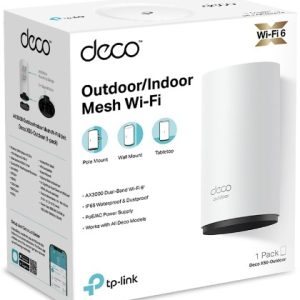
TP-Link RE705X AX3000 Dual-Band Mesh Wi-Fi 6 Range Extender
The TP-Link RE705X extends your Wi-Fi to bedrooms, upstairs rooms, the garage or the garden without new cabling. Lens & Living supplies genuine, new TP-Link stock with delivery across South Africa.
Overview
Plug the RE705X in about halfway between your router and the area with weak signal, then press WPS on your router and the extender to connect. It repeats your router’s signal to cover the dead zone. In access point mode, you can connect it to your network by cable to create a new Wi-Fi hotspot. With a OneMesh or EasyMesh router, it creates a seamless mesh network under one name.
Key features
- AX3000 dual-band: Speeds reach 2402 Mbps on 5 GHz plus 574 Mbps on 2.4 GHz.
- Works with any router: Compatible with standard Wi-Fi routers, including fibre and LTE routers.
- Two modes: Use it as a range extender or as an access point (Range Extender and Access Point).
- Ethernet port: A Gigabit port connects a wired device such as a smart TV, decoder or console.
- Mesh support: Works with TP-Link OneMesh and EasyMesh-compatible routers for seamless roaming.
Who is it for?
The RE705X suits homes with fast fibre and a Wi-Fi 6 router that need high speeds in far rooms.
TP-Link RE705X specifications
| Brand | TP-Link |
|---|---|
| Model | RE705X |
| SKU | TL-RE705X |
| Wi-Fi standard | Wi-Fi 6 – IEEE 802.11a/n/ac/ax (5 GHz), 802.11b/g/n/ax (2.4 GHz) |
| Wi-Fi speed | AX3000 – 5 GHz: 2402 Mbps, 2.4 GHz: 574 Mbps |
| Antennas | 2 external antennas |
| Ethernet port | 1 × Gigabit RJ45 |
| Operation modes | Range Extender and Access Point |
| Mesh | TP-Link OneMesh, EasyMesh compatible |
| Security | WEP, WPA, WPA2, WPA3 |
| Buttons | WPS, Reset |
| Power | Wall plug |
| Dimensions | 97 × 46 × 158 mm |
| In the box | RE705X range extender, quick installation guide |
Buy from Lens & Living
Order the TP-Link RE705X from Lens & Living, a South African retailer of photography, electronics and smart home products. Our team can help with compatibility questions before you check out. For full manufacturer documentation, visit the official TP-Link product page.


Reviews
There are no reviews yet.